Practical Basketball Latest Stress Test Notes
What changed in the newest Practical Basketball early-access build — builder, badges, takeovers, and park goals.
Practical Basketball is still not a full public launch. Practical Creations opens stress-test and early-access windows on Roblox so the community can pressure-test park physics, report bugs, and validate the rebuilt creator before wider release. The Roblox listing describes these sessions explicitly: step onto the court, push systems hard, and send gameplay plus UX issues to the communications server linked from the official game page.
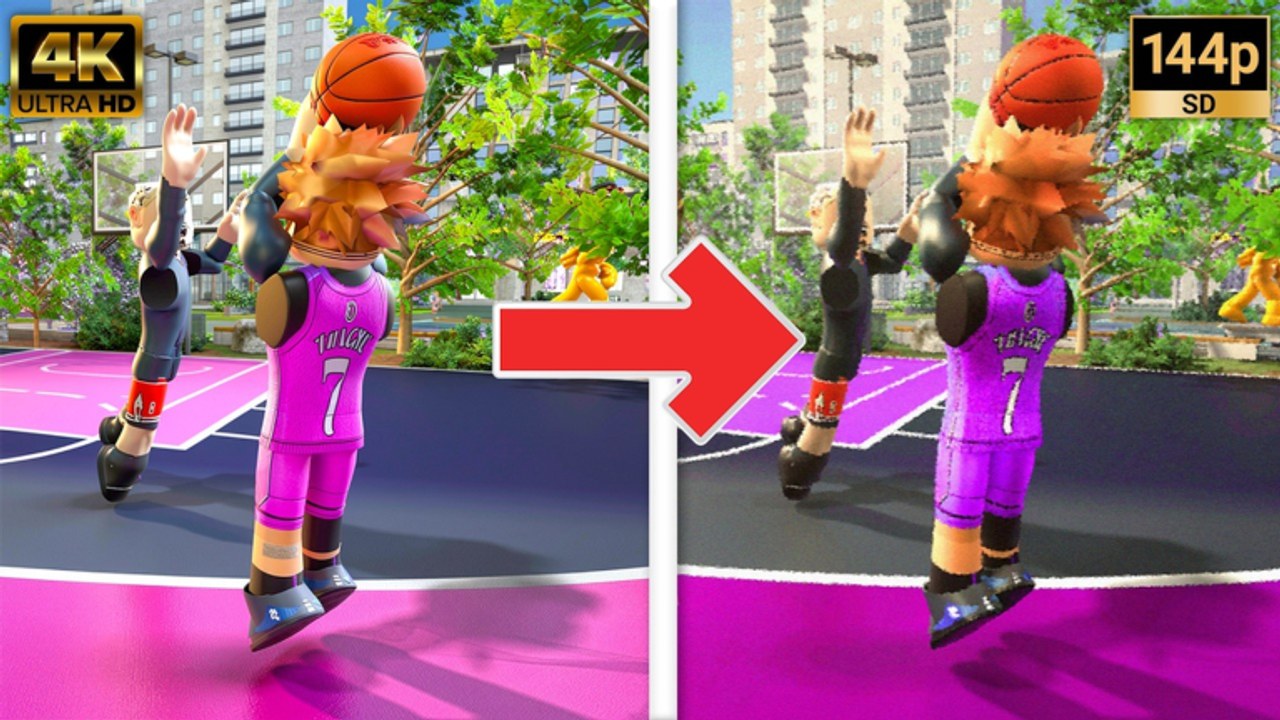
This page summarizes what testers observed in the newest build compared with older Practical iterations — especially the modernized build creator, new badge layers, and takeover selection. Watch the embedded comparison (Practical Basketball old vs new evolution) mid-article for visual proof of UI and mechanic shifts, then cross-check details below against your own client during the next live window.
August 2026 note: ST3 may show no running experiences on the Roblox game page during maintenance pauses. That is expected early-access behavior — prepare builds offline, read Discord pins, and return when active server instances reappear.
Stress-test purpose and expectations
During a park stress test, you are both a player and a QA contributor. Servers may spin up and down; matchmaking can be uneven; and controls listed on Discord can differ slightly from your last session if a hotfix landed overnight. That is normal for early access — plan short sessions, clip odd behavior, and post structured reports rather than expecting ranked stability.
Practical Basketball also advertises anti-cheat enforcement during tests. Fair play matters: exaggerated movement or exploit chains undermine the data developers need. Use official channels linked from Community Links for bug reports, not unofficial executables.
Builder and creator changes
The newest creator flow is cleaner than older Practical builds testers remember. Quality-of-life upgrades include:
- Streamlined create-player path — fewer dead-end screens between login and build planning.
- Position, height, and wingspan still anchor identity, but layout is easier to read at a glance.
- Anomalies appear as a distinct layer in the creator. These modifiers tweak tendencies or physical quirks; they are new relative to some older tests and deserve experimentation in free practice before you spend on rerolls.
- Attribute sliders remain the core puzzle — you allocate across shooting, finishing, playmaking, defense, and physicals with badge gates in mind.
- Build testing / shootaround access from the creator lets you validate animations before queueing park. Older tests may not have exposed the same flow; use it whenever it is available.
- PB branding screens — splash and UI polish that signal the park-forward direction of this stress cycle.
After any creator patch, rerun Build Helper tables for your PG, SG, or SF plan. Small threshold shifts can knock you off a badge tier without obvious in-game warning.
Takeovers arrive in the build planner
Takeovers are a headline addition in recent tests. During creation you can assign a takeover that activates when you earn enough momentum in park runs. Community testers frequently highlight:
- Smooth Operator — favors slashers and on-ball creators who already invested in ball handling, layup packages, and drive-heavy takeover triggers. Synergizes with Players Hub slasher and playmaker archetypes.
- Knockdown Shooter — rewards spacing wings and guards who win with catch-and-shoot timing on hold E. Pairs with shooting badge tiers documented on Takeovers and Badges.
Takeovers are not cosmetic. Picking the wrong takeover for your actual shot profile wastes a slot — a spot-up guard with Smooth Operator may never activate while a driver with Knockdown Shooter sits idle. Test both in practice mode if you are undecided.
Badge categories in the modern build
Badges now sit visibly in the planning loop rather than feeling like a hidden endgame system. Expect categories along these lines (names may shift slightly per patch):
| Category | What it governs | Stress-test focus |
|---|---|---|
| Finishing | Layups, contact dunks, gathers at the rim | Slashers and SFs need tiers here before park iso |
| Shooting | Catch-and-shoot, off-dribble, free throws | SGs and stretch builds live or die on these gates |
| Playmaking | Pass accuracy, dribble chains, breakers | PGs and secondary creators unlock advanced passes |
| Defense | On-ball, steals, contests, interior for switches | Even scorers need a defensive floor in test lobbies |
Badge thresholds interact with attributes — you cannot theory-craft from badges alone. Use Build Helper checklists, then confirm in the creator UI which tiers light up before you finalize.
Park stress-test gameplay notes
Park sessions in the latest build emphasize timing and spacing over arcade streaks. Testers report:
- Shooting remains hold E with a manual release window; there is no passive green aid without skill.
- Dunks require momentum and correct gather inputs (Shift + Space on many driving lines) — see Controls Cheat Sheet.
- Passing with numbered keys and modifiers rewards organized teams; random iso ball dies against help rotations.
- Dribble chains on Z/C/X/V separate creators from walkers, but sprint discipline (Shift taps) still matters more than move quantity.
- Post G actions remain relevant on mismatches after switches — do not skip post practice because the meta looks guard-heavy.
If park feels empty, verify Roblox server status on the official game page — downtime between tests is common.
Stress Test 3 on Roblox
Stress Test 3 (ST3) is the early-access cycle many players queue during August 2026 test windows. The Roblox listing frames it explicitly as a stress test — not a finished live game — with park-forward content, creator anomalies, badges, and takeovers active while servers are up. Practical Creations may take ST3 offline for updates with little notice; “no running experiences” during those pauses is expected, not a sign that the project cancelled.
What ST3 emphasizes based on tester reports and official messaging:
- Park and gym modes — Plaza navigation, Public Gym, Private Gym, Blacktop, and Park pickup documented on Park Modes
- Fair play enforcement — the game description advertises cheat detection and bans; do not use scripts or exploit chains during tests
- Community reporting — gameplay and UX bugs belong in the communications server linked from Community Links, not unofficial executables
- Creator iteration — anomalies, badge visibility, and takeover slots remain part of the build planner; revalidate after any ST3 downtime message
This wiki does not invent patch numbers or changelog lines for ST3. When developers post structured notes, we fold verified changes into this page and Updates Hub. Until then, treat ST3 as early access that can go down for maintenance — prepare builds offline, practice controls from PC Controls, and return when the Roblox server list shows active instances again.
ST3 downtime messaging (August 2026)
If you see maintenance-style wording or empty server lists during ST3:
- Do not assume full public launch — the experience remains stress-test scoped
- Check Discord first — official Trello may be absent or outdated for this cycle
- Read Codes Hub honestly — no confirmed official active codes during ST3; ignore rumored lists
- Use Park Modes to plan where you will practice when queues reopen
- Re-check Big Builds, Scoring Builds, and Anomalies only after you confirm creator numbers in a live client
Old vs new — what the comparison shows
The embedded video walks through creator differences side by side: neater menus, anomaly slots, takeover picker, badge visibility, and PB presentation screens. Visual comparison helps when patch notes are thin — you can see exactly which screens moved or which features did not exist in the last public test you played.
Use video context as a supplement, not a substitute for hands-on reps. Physics tuning can change after filming; always confirm in your live client.
What to do before the next test window
- Read pinned Discord posts via Trello and Community for control deltas — Discord pins beat unofficial Trello reposts when no official board exists.
- Rebuild or tweak attributes using Takeovers and Badges synergy notes.
- Drill Controls Cheat Sheet inputs in practice mode.
- Queue park with a squad role plan — one primary ball handler, two spacing shooters, one switchable defender.
- Log bugs with repro steps when something breaks; that is the contract of a stress test.
Related wiki pages
- Updates Hub — chronological index of patch-style writeups
- Tools Hub — build and controls references
- Tier List — archetype power after large tuning passes
- Getting Started — onboarding if you skipped earlier tests
- Park Modes — Plaza, gyms, Blacktop, and Park queues between windows
- Anomalies — creator quirks introduced in modern stress builds
- Big Builds — interior templates after builder retunes
Early access will keep moving until Practical Creations is satisfied with fairness, performance, and skill expression. Revisit this page after each major communication-server announcement so your builds and bindings stay aligned with the latest park build.
Frequently Asked Questions
Quick answers players ask before every park session.
Is Practical Basketball fully released?
No. Stress Test 3 and other cycles are early-access stress tests on Roblox, not a finished public launch. Servers may go offline for updates; full release timing has not been confirmed on this wiki.
What is the best takeover in the current test?
Smooth Operator suits drive-heavy builds; Knockdown Shooter suits catch-and-shoot specialists. Match takeover to how you actually score, not hype.
Were badges in older Practical Basketball tests?
Recent builds expose badges prominently in the creator. Older public tests felt closer to raw attributes — treat badges as a new planning layer.
Where should I report stress-test bugs?
Use the developer communications server linked from the official Roblox game page and group. See Community Links for how to find invites without unofficial URLs.
Why did Stress Test 3 go offline?
ST3 windows pause for updates and bug fixes like other early-access tests. Check the Roblox game page and Updates hub when servers return — downtime does not mean the game fully launched or shut down permanently.