How to Dunk in Practical Basketball
Standing and driving dunks, contact finishes, and approach angles for Roblox early-access stress tests.
Dunks in Practical Basketball are highlight plays backed by physics, not guaranteed animations. You need the right input, approach angle, momentum, and often the vertical to finish through contact. During early-access stress tests on Roblox, forcing dunk attempts with the wrong build or from the wrong spot is one of the fastest ways to feed transition offense for the other team.
This guide covers standing and driving dunks, when to lay up instead, and how builds interact with finish attempts. Cross-reference PC Controls for exact keys and How to Create a Build for height and attribute targets.
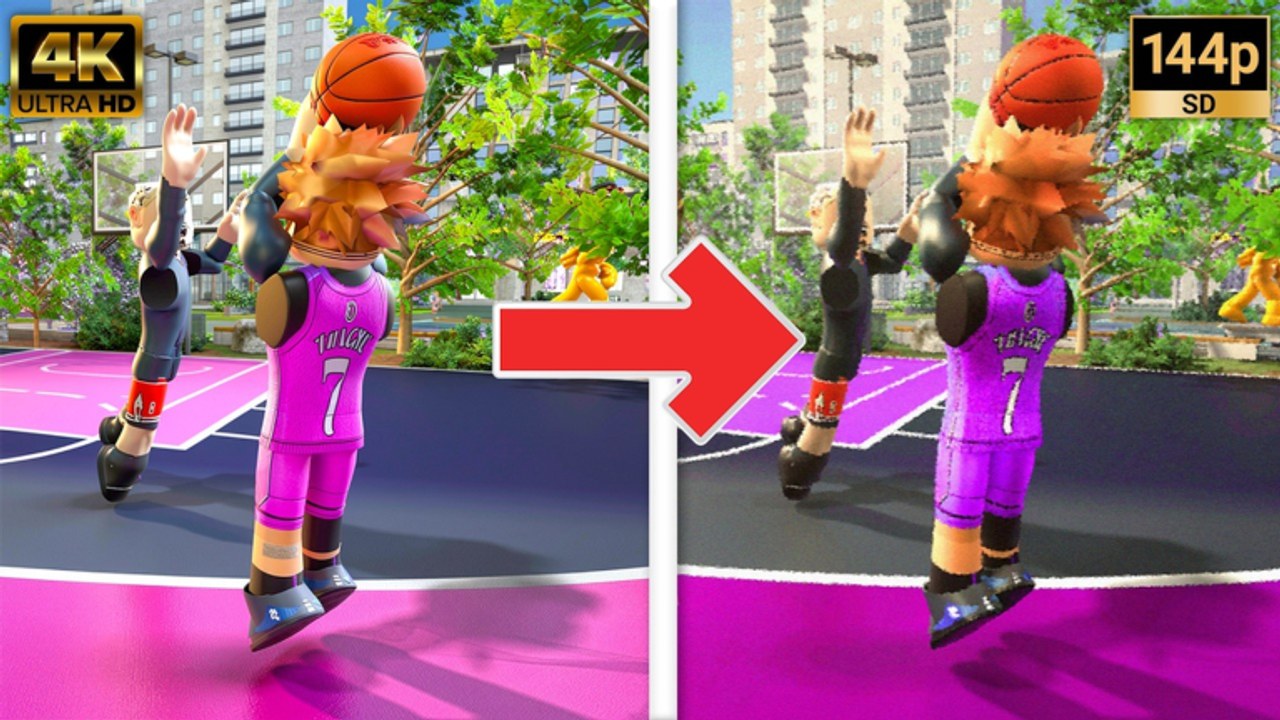
The embedded video mid-article shows a Wemby-style 99 driving dunk build — use it to see approach angles and contact finishes after you learn the standing and driving inputs below.
Dunk inputs on PC
| Action | PC input | Typical use |
|---|---|---|
| Standing dunk | Hold Space | Set feet near the rim, jump straight up through a static defender gap. |
| Driving dunk | Shift + Space | Forward momentum on a beat drive or cut toward the basket. |
| Layup alternative | Hold E while driving | When contact or angle makes a dunk unrealistic. |
| Jelly finish | Q after finish start | Style layer once a finish animation begins. |
| Double clutch | F after finish start | Timing variant on an existing finish attempt. |
Standing dunks reward positioning — you cannot hold Space from the logo and expect a poster. Driving dunks reward beats created by How to Dribble hesi and combo routes that open a lane.
Standing dunk requirements
Standing dunks trigger when you are close to the rim, balanced, and your build supports vertical reach. Checklist before you hold Space:
- Inside the paint — one or two steps from the hoop, not mid-float from deep.
- Clear gather — do not hold Space while still sideways to the baseline.
- Build check — shorter or low-vertical builds should default to layups; see How to Create a Build.
- Defender position — a body directly under the rim may force a layup or pass instead.
In stress-test lobbies, standing dunks are high-value when you seal a smaller defender or crash offensive boards — not when you catch the ball seventeen feet out and hold Space out of habit.
Driving dunk requirements
Shift + Space connects when you have forward speed and a clean approach. Common successful setups:
- Hesi blow-by — C or Z hesi, then two hard dribbles into Shift + Space.
- Cut finish — off-ball cut receiving a chest Shift + 1–4 pass with momentum toward the rim.
- Transition lane — sprint fill after a stop, accept pass, dunk before help rotates.
Failed driving dunks usually trace to:
- Triggering Shift + Space too far from the basket.
- Attempting through three defenders without a mismatch.
- Using a guard build with insufficient vertical investment.
When in doubt, hold E for the layup and live for the next possession. How to Shoot spacing principles apply — do not crash crowds without numbers.
Contact and contest reads
Practical’s Physics V2 means contact matters. A late help defender can turn a dunk attempt into a brick or strip if you commit early. Read help before you press Shift + Space:
| Defender layout | Best finish |
|---|---|
| Single beat man trailing | Driving dunk or layup hold E |
| Help early at nail | Kick to corner shooter or short roll pass |
| Rim protector set under hoop | Floater-style layup or pass out |
| Clear mismatch on size | Standing hold Space or power layup |
Pump fakes (tap E from How to Shoot) can shift rim protectors a half step — enough to upgrade a layup window into a dunk window.
Style finishes: jelly and double clutch
Q (jelly) and F (double clutch) apply after a finish starts. They are not separate dunk buttons — they modify timing on an attempt you already committed to. Practice them in low-traffic stress-test lobbies before you use them in clutch possessions.
Use style layers when:
- You are already airborne and want to avoid a predictable block timing.
- You have a size advantage and want safer finish timing against late hands.
Avoid them when:
- You are still deciding whether to shoot — finish indecision causes turnovers.
- You have not drilled the base dunk inputs yet.
Alley-oop finishes overlap with How to Alley-Oop — lobs use F for self attempts and T + number for teammates, separate from double clutch timing on standard finishes.
Build synergy
Dunk consistency scales with vertical, strength, and height choices documented in How to Create a Build. Guards can dunk in specific mismatches but should not build like centers. Wings often sit in the sweet spot for driving Shift + Space attempts after a hesi. Bigs live on standing Space holds and short-roll seals.
Stress tests may rebalance attributes between windows. Re-test your go-to lines after patch notes instead of assuming last week’s vertical still clears the same contacts.
Practice progression
- Layup-only drives — hold E ten times from each baseline angle.
- Standing Space reps — under the rim with no defense; learn distance limits.
- Shift + Space approach — one hesi, one line to the basket, no extra dribbles.
- Help read drills — friend rotates early; pass instead of forcing.
- One style layer — add Q or F only after base makes feel automatic.
New players should complete Getting Started and PC Controls before dedicating a session purely to dunk lab work.
Common mistakes
| Mistake | Result | Fix |
|---|---|---|
| Dunk from too far | Miss or awkward animation | Layup or one more dribble |
| Ignoring build limits | Repeated bricks | Adjust build or play to strengths |
| No setup dribble | Defender stays attached | Hesi or combo from dribble guide |
| Style before basics | Turnovers | Base dunk first, jelly later |
| Forcing in traffic | Fast-break points allowed | Pass out or reset |
Return to the Guides Hub for the full mechanic roadmap. Dunking closes possessions that How to Dribble and How to Shoot open — treat it as the finish layer, not the entire offense.
Practical Basketball has not fully launched; dunk tuning in stress-test builds can change. Document what works for your build each window and adapt when developers adjust physics or attribute caps.
Frequently Asked Questions
Quick answers players ask before every park session.
How do you dunk in Practical Basketball on PC?
Hold Space for a standing dunk near the rim. Press Shift + Space for a driving dunk when you have forward momentum on approach.
Why does my driving dunk not trigger?
Usually too far from the basket, insufficient momentum, or a build with low vertical. Close the distance, hesi into the drive, and confirm your build supports finishes.
When should I lay up instead of dunk?
When a rim protector is set, your angle is wrong, or your build lacks vertical. Hold E while driving for the safer layup attempt.
What is jelly in Practical Basketball?
Press Q after a finish starts to add a jelly timing layer. It modifies an existing attempt — learn base dunks and layups first.
Do all builds dunk equally in stress tests?
No. Height and vertical matter. Guards may need mismatches; bigs and athletic wings dunk more consistently with proper attribute investment.